Create an API for Your RAG Chatbot
Project Link: View Project
Author: Duc Thai
Email: ducthai060501@gmail.com
How I Built an API for My RAG Chatbot

Introducing Today's Project!
In this project, I’ll demonstrate how to create an API for my RAG chatbot, making it accessible to any application—not just through the AWS console or terminal. I’m doing this to learn how to expose my chatbot as a service, build a flexible and scalable solution, and give myself practical experience integrating generative AI with modern API development practices.
Tools and concepts
In this project, I learned several key AWS services and concepts:
- Amazon S3 – Used for storing documents that power my Knowledge Base.
- Amazon Bedrock – A platform for running and customizing AI models, managing Knowledge Bases, and connecting them to generative models.
- Knowledge Base – A centralized collection of documents and information, making it easy for the chatbot to retrieve relevant context for answers.
- AI Models (Titan Text Embeddings V2, Llama 3.3 70B Instruct) – Used for converting documents into embeddings (for understanding context) and for generating human-like responses.
- AWS CLI – A command-line interface that lets me manage and test AWS services directly from my terminal.
- API Development with FastAPI – Building a flexible API that connects applications (web, mobile, chat platforms) to the chatbot backend.
Project reflection
This project took me approximately 1.5 hours to complete. The most challenging part was troubleshooting environment variable configuration and making sure all endpoints connected correctly to AWS Bedrock, especially handling errors between document search and direct model calls. It was most rewarding to see the chatbot API successfully respond with both Knowledge Base-backed answers and general AI model answers, proving that multiple sources could be integrated for richer interactions.
I chose to do this project today because I wanted to deepen my hands-on experience with AI, AWS services, and API development. This project seemed like a practical way to learn how to connect real-world data sources to powerful AI models, and to build an application that’s both useful and extensible. Plus, working through the steps gave me a great opportunity to troubleshoot, experiment, and see immediate results, which is always motivating!
Setting Up The Knowledge Base
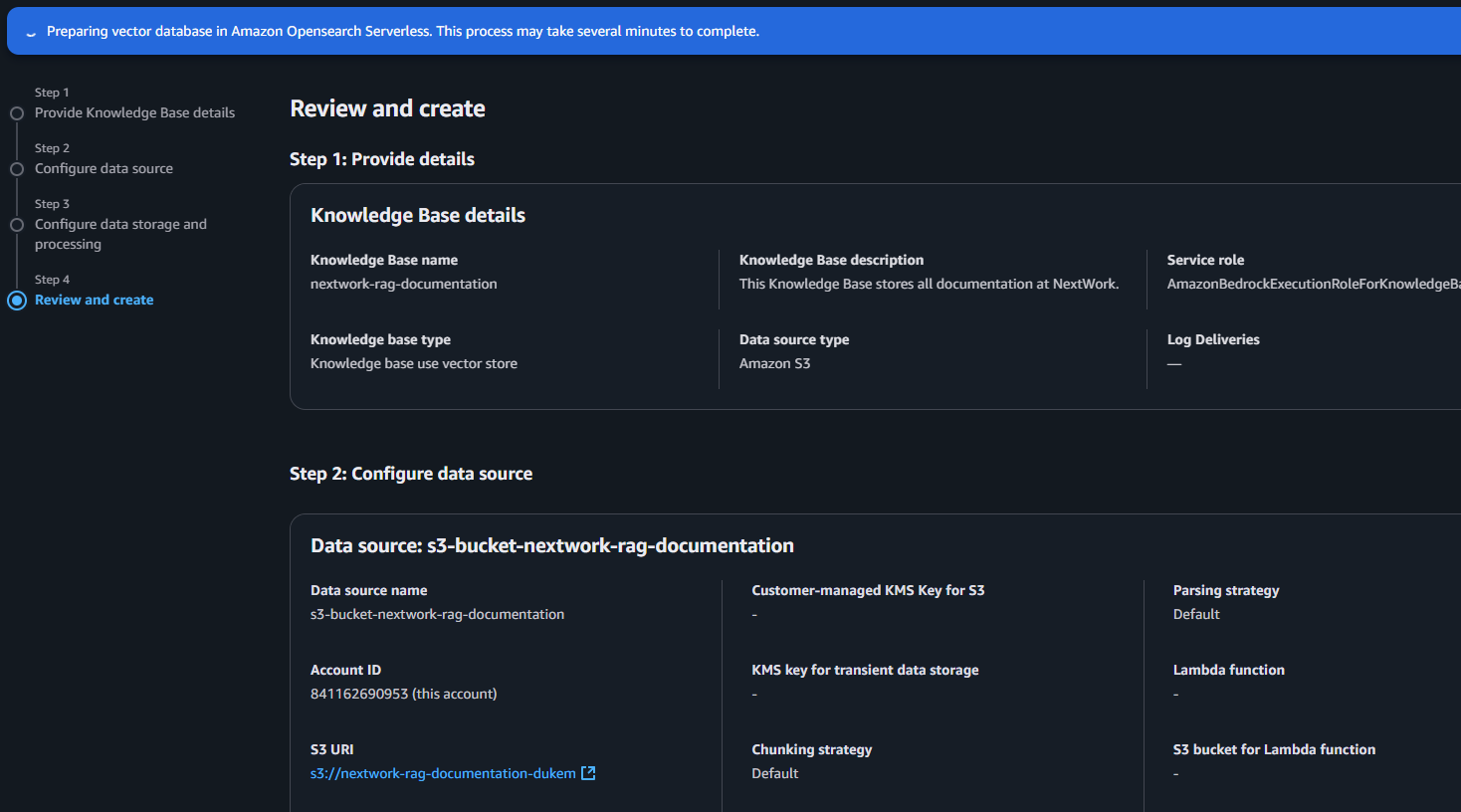
To set up my Knowledge Base, I used S3 to store all the documents my chatbot will learn from and reference when answering questions. The documents I uploaded include details and notes from my previous AWS cloud engineering and AI projects, making it easy for the chatbot to search and retrieve relevant information. S3 provides a secure, scalable way to organize my training materials and keep them accessible for future updates.
Amazon Bedrock is AWS’s managed platform for running and customizing generative AI models. I created a Knowledge Base in Bedrock to centralize important information and make it searchable for my chatbot. This allows the chatbot to provide more accurate, relevant answers by retrieving context from my curated documents, rather than relying only on general AI knowledge. Using Bedrock ensures easy integration, security, and scalability as my data and use cases grow.
My chatbot needs access to two AI models: one to convert text into embeddings (Titan Text Embeddings V2), so my Knowledge Base can process documents and understand their context, and another to generate human-like responses from raw data (Llama 3.3 70B Instruct model). I then synchronized my Knowledge Base to my data source so it can continuously index new material and stay up-to-date, ensuring the chatbot provides accurate and relevant answers with each interaction.
Running CLI Commands Locally
When I tried running a Bedrock command in my terminal, I got an error because I hadn’t installed the AWS CLI yet. To fix this, I Googled how to install it and found the Windows setup command:msiexec.exe /i https://awscli.amazonaws.com/AWSCLIV2.msi
After running it, the AWS CLI was installed and ready to use, allowing me to manage AWS services directly from my terminal.
Running Bedrock Commands
When I first ran a Bedrock command, I ran into an error because I needed to provide values for Knowledge Base ID and Model ARN.
To find the required values, I visited the AWS Bedrock model catalog and identified my model (llama3-3-70b-instruct) to get its model ID: meta.llama3-3-70b-instruct-v1:0. I then ran aws bedrock get-foundation-model --model-identifier meta.llama3-3-70b-instruct-v1:0 to obtain the model ARN. Next, I copied my Knowledge Base ID from AWS Bedrock and used aws configure to set my default region to us-east-2. After running my Bedrock command, I got a successful response for the input: --input '{"text": "What is NextWork?"}'. The output described NextWork as an organization focused on learning and development, and also included source, citation, and other useful details.
Creating an API
An API is like a menu for applications—it lists all the ways other software can interact with my service. The API I’m creating will define how any app can connect to my chatbot, not just through the command line. I want my chatbot to be accessible via attractive web interfaces, mobile apps, and platforms like Slack or Microsoft Teams. Building an API unlocks endless possibilities: you can create sleek interfaces, add it to other apps, or integrate with messaging tools, making the chatbot truly versatile and useful in any context.
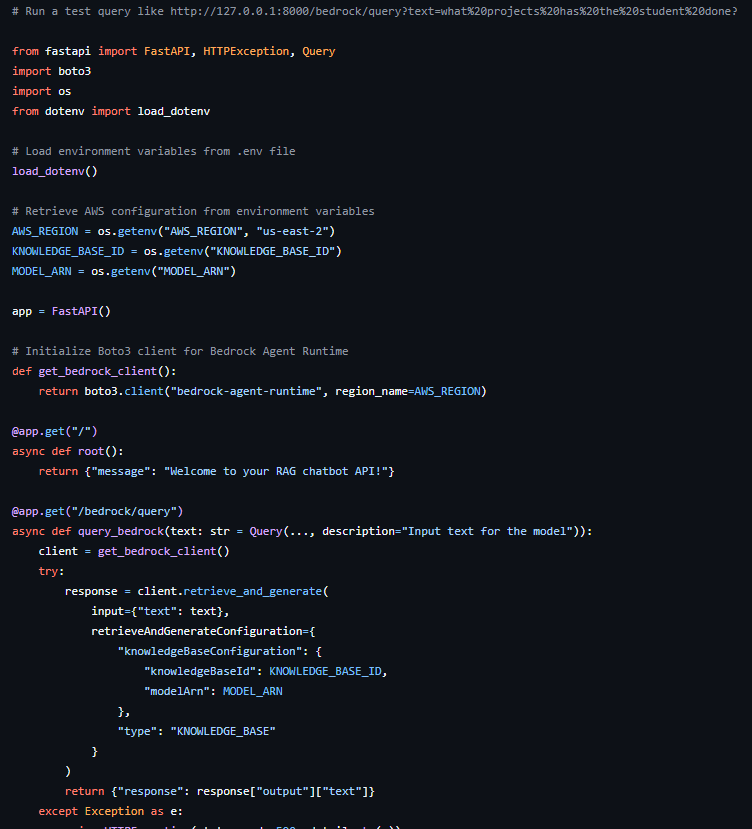
The API code has three main sections that work together to provide a seamless chatbot experience:
- Imports: This section brings in the libraries we need—FastAPI for building the web API, boto3 for AWS service integration (like Bedrock), and tools like dotenv and os for managing environment variables.
- Environment Variables: These lines load important settings—such as AWS_REGION, KNOWLEDGE_BASE_ID, and MODEL_ARN—from my local environment. This makes the code flexible and reusable without hardcoding sensitive details.
- Functions and API Endpoints: Here, I define how external apps interact with the chatbot. The root endpoint ("/") provides a welcome message, while "/bedrock/query" lets users send questions to the chatbot, using the text parameter. This endpoint connects to Bedrock and returns the AI’s response, just like the Bedrock CLI command.
Installing Packages
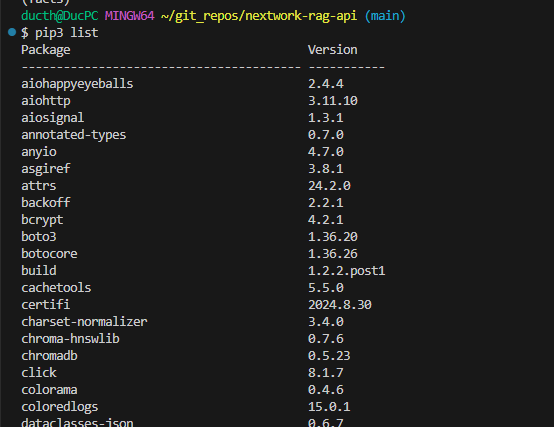
To run the API, I installed packages like boto3==1.36.20 for AWS integration, fastapi==0.115.8 for the web framework, python-dotenv==1.0.1 for loading environment variables, and uvicorn==0.34.0 as the ASGI server. I also made sure to install all dependencies listed in requirements.txt and any extra libraries required by those packages. These packages are important because they provide the tools for building, running, and connecting the API to AWS services securely, while their dependencies ensure everything works together smoothly.
Testing the API
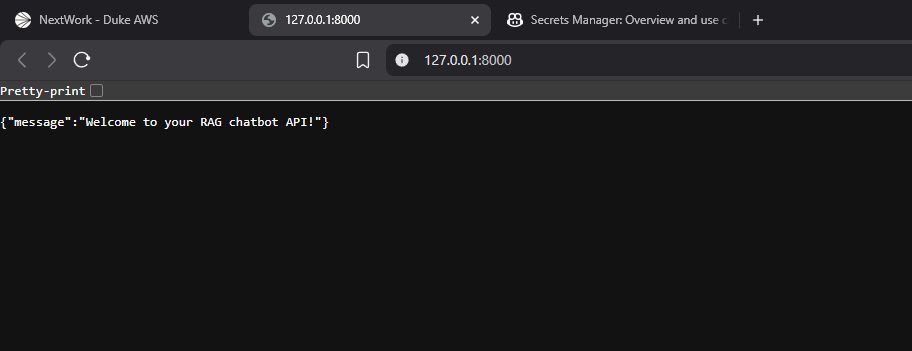
When I visited the root endpoint, I saw the welcome message {"message":"Welcome to your RAG chatbot API!"}. This confirms that my API is running correctly, and external applications can connect to it. It’s a quick way to verify my setup and ensures the API is ready to accept requests from clients.
The Query Endpoint
The query endpoint connects an app with my RAG chatbot to process user questions and return answers. I tested the query endpoint by sending a GET request with a sample question, but the response was an error showing parameter validation failed:
{"detail":"Parameter validation failed:\nInvalid type for parameter retrieveAndGenerateConfiguration.knowledgeBaseConfiguration.knowledgeBaseId, value: None, type: <class 'NoneType'>, valid types: <class 'str'>\nInvalid type for parameter retrieveAndGenerateConfiguration.knowledgeBaseConfiguration.modelArn, value: None, type: <class 'NoneType'>"}
This means my Knowledge Base ID and Model ARN weren’t set correctly in the environment, so the API couldn’t connect to Bedrock as expected.
Looking at the API code, I noticed that it calls for environment variables because KNOWLEDGE_BASE_ID and MODEL_ARN are sensitive details. Hardcoding these values in my code would be risky—especially if I ever share the file publicly, like on GitHub. Using environment variables is a safer and more professional way to manage secrets and settings. To resolve the error in my query endpoint, I need to make sure these variables are correctly set and loaded in my environment before running the API.
Extending the API
In this project extension, I created secret_mission.py to enhance my API. Key differences from main.py include new imports—logging for better error tracking and diagnostics, and json for formatting model prompts and parsing Bedrock responses. I also added a new env variable, MODEL_ID, to identify the specific AI model for direct use. Most importantly, I introduced a new endpoint, @app.get("/bedrock/invoke"), which bypasses document search and interacts directly with the AI model. This endpoint is ideal for general knowledge questions, while main.py’s endpoints rely on the custom Knowledge Base for tailored answers.
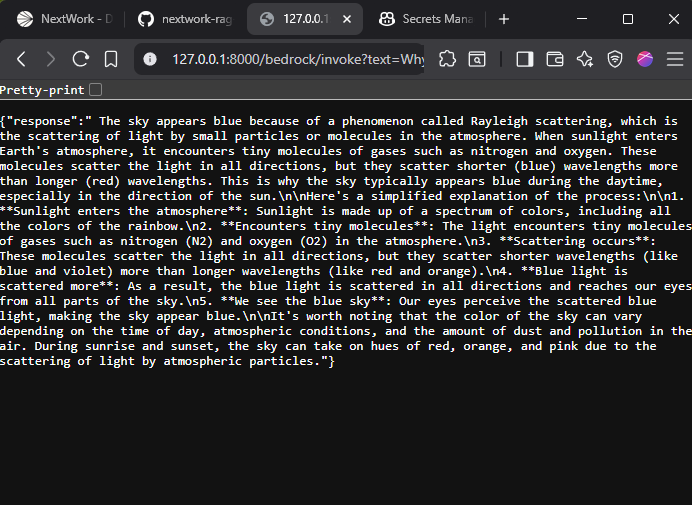
I initially ran into an error with the new endpoint because I forgot to set MODEL_ID in the .env file. Once I fixed it, I validated the new endpoint by visiting http://127.0.0.1:8000/bedrock/invoke?text=Why%20is%20the%20sky%20blue? and got the proper answer:
{"response": "The sky appears blue because of a phenomenon called Rayleigh scattering, which is the scattering of light by small particles or molecules in the atmosphere. When sunlight enters Earth's atmosphere, it encounters tiny molecules of gases such as nitrogen and oxygen. This is why the sky typically appears blue during the daytime, especially in the direction of the sun.\n\nHere's a simplified explanation of the process:\n\n1. Sunlight enters the atmosphere: Sunlight is made up of a spectrum of colors, including all the color..."}
This confirms that configuring the MODEL_ID variable in the .env file is essential for the API to successfully call the AI model directly.
When I use /bedrock/query, the chatbot retrieves information directly from my custom Knowledge Base, returning answers that are based on my uploaded documents and past project data. This means the responses are specific, referenced, and often include source details from my curated materials.
But when I use /bedrock/invoke, the chatbot relies only on the AI model's built-in general knowledge, without searching my documents. For questions outside the model’s training, it might respond with {"response":"I couldn't find an exact answer to the question."}, since it doesn't have access to my specialized Knowledge Base. This makes /bedrock/invoke better for general queries, while /bedrock/query is ideal for tailored, document-backed answers.