
DALL-E: Image generation Guide for Beginners
Estimated time needed: 30 minutes
In this lab, you will learn how to use DALL-E series to generate images from text.
NOTE: Due to environment limitations, currently only the prompt can be modified; edit and variation features are not available at this time.
Table of Contents
- Introduction
- What does this guided project do?
- Objectives
- Background
- Setup
- Image generation
- Practice
- Compare the two images
- Exercises
- Authors
- Contributors
Introduction
Have you ever wanted to create stunning images from just a text description? With the power of AI image generation, this is now possible. In this project, we'll explore DALL·E series, OpenAI's revolutionary text-to-image model that can create realistic images and art from natural language descriptions.
What does this guided project do?
This project demonstrates how to use DALL·E series to generate images by:
- Crafting effective text prompts that describe the images you want to create
- Using the OpenAI API to generate images from these prompts
- Exploring different parameters to control the image generation process
For example, you could input a prompt like "a serene landscape with mountains reflected in a lake at sunset" and DALL·E will create a beautiful image matching your description. This technology can be used for creating illustrations, concept art, design mockups, or simply exploring your creative ideas in visual form.
Objectives
After completing this lab you will be able to:
- Craft effective prompts for DALL·E image generation
- Use the OpenAI API to generate images from text descriptions
- Understand the parameters that control image generation
- Save and use the generated images in your projects
Background
What is large language model (LLM)?
Large language models are a category of foundation models trained on immense amounts of data making them capable of understanding and generating natural language and other types of content to perform a wide range of tasks.
What is multimodal?
Multimodal refers to the capability of a model to process and understand multiple types of data simultaneously. In the context of AI and machine learning, multimodal models can handle and integrate information from various modalities, such as:
- Text to image: Generating images based on textual descriptions, as seen in models like DALL·E.
- Text to audio: Converting written text into spoken words or sounds.
- Image to ext: Analyzing images to produce descriptive text or captions.
- Audio to text: Transcribing spoken language into written text.
- Video analysis: Understanding and interpreting video content by integrating visual and audio data.
This capability allows for a more comprehensive and nuanced understanding and generation of content. For example, a multimodal AI system can take a text description and generate a corresponding image or analyze an image and generate descriptive text. This integration of different types of data enables more sophisticated applications and interactions, such as creating detailed visual content from textual descriptions or providing richer context in conversational AI systems.
What is Dall-E 2?
DALL·E 2 is an AI system developed by OpenAI that can create realistic images and art from text descriptions. Released in 2022, it's the successor to the original DALL·E model. Key features include:
- Text-to-image generation: Creates images from natural language descriptions
- Image editing: Allows for modifications to existing images
- Variations: Can generate multiple variations of an image
- Resolution control: Creates images at different resolutions
- Proprietary technology: Unlike open-source models, DALL·E 2 is a commercial product from OpenAI
What is Dall-E 3?
DALL·E 3 is OpenAI's most advanced text-to-image model, released in 2023. It represents a significant improvement over DALL·E 2 with the following key features:
- Higher quality images: Produces more detailed, accurate, and visually stunning images
- Better text understanding: More accurately interprets complex prompts and follows specific instructions
- Text rendering: Significantly improved ability to generate readable text within images
- Artistic styles: Better at capturing specific artistic styles and visual aesthetics
- Safety features: Enhanced content filtering and safety measures
- Integration with ChatGPT: Can be accessed directly through ChatGPT to refine prompts interactively
DALL·E 3 can generate images at higher resolutions and with greater fidelity to the user's intent, making it particularly valuable for professional creative work and detailed visualizations.
Setup
For this lab, you will be using the following libraries:
openai:openaiis a library that allows working with the OpenAI API.
Installing required libraries

%pip install openai==1.64.0 | tail -n 1Successfully installed jiter-0.12.0 openai-1.64.0
Note: you may need to restart the kernel to use updated packages.Image generation
The Images API has three endpoints with different abilities:
- Generations: Images from scratch, based on a text prompt
- Edits: Edited versions of images, where the model replaces some areas of a pre-existing image, based on a new text prompt
- Variations: Variations of an existing image
Which model should I use?
DALL·E 2 and DALL·E 3 have different options for generating images.
| Model | Available endpoints | Best for |
|---|---|---|
| DALL·E 2 | Generations, edits, variations | More options (edits and variations), more control in prompting, more requests at once |
| DALL·E 3 | Only image generations | Higher quality, larger sizes for generated images |
Generations
The image generations endpoint allows you to create an original image with a text prompt. Each image can be returned either as a URL or Base64 data, using the response_format parameter. The default output is URL, and each URL expires after an hour.
Size and quality options
Square, standard quality images are the fastest to generate. The default size of generated images is 1024x1024 pixels, but each model has different options:
| Model | Sizes options (pixels) | Quality options | Requests you can make |
|---|---|---|---|
| DALL·E 2 | 256x256 512x512 1024x1024 | Only standard | Up to 10 images at a time, with the n parameter |
| DALL·E 3 | 1024x1024 1024x1792 1792x1024 | Defaults to standard Set quality: "hd" for enhanced detail | Only 1 at a time, but can request more by making parallel requests |
Edits (Dall-E 2 only)
The image edits endpoint lets you edit or extend an image by uploading an image and mask indicating which areas should be replaced. This process is also known as inpainting.
The transparent areas of the mask indicate where the image should be edited, and the prompt should describe the full new image, not just the erased area.
| Image | Mask | Output |
|---|---|---|
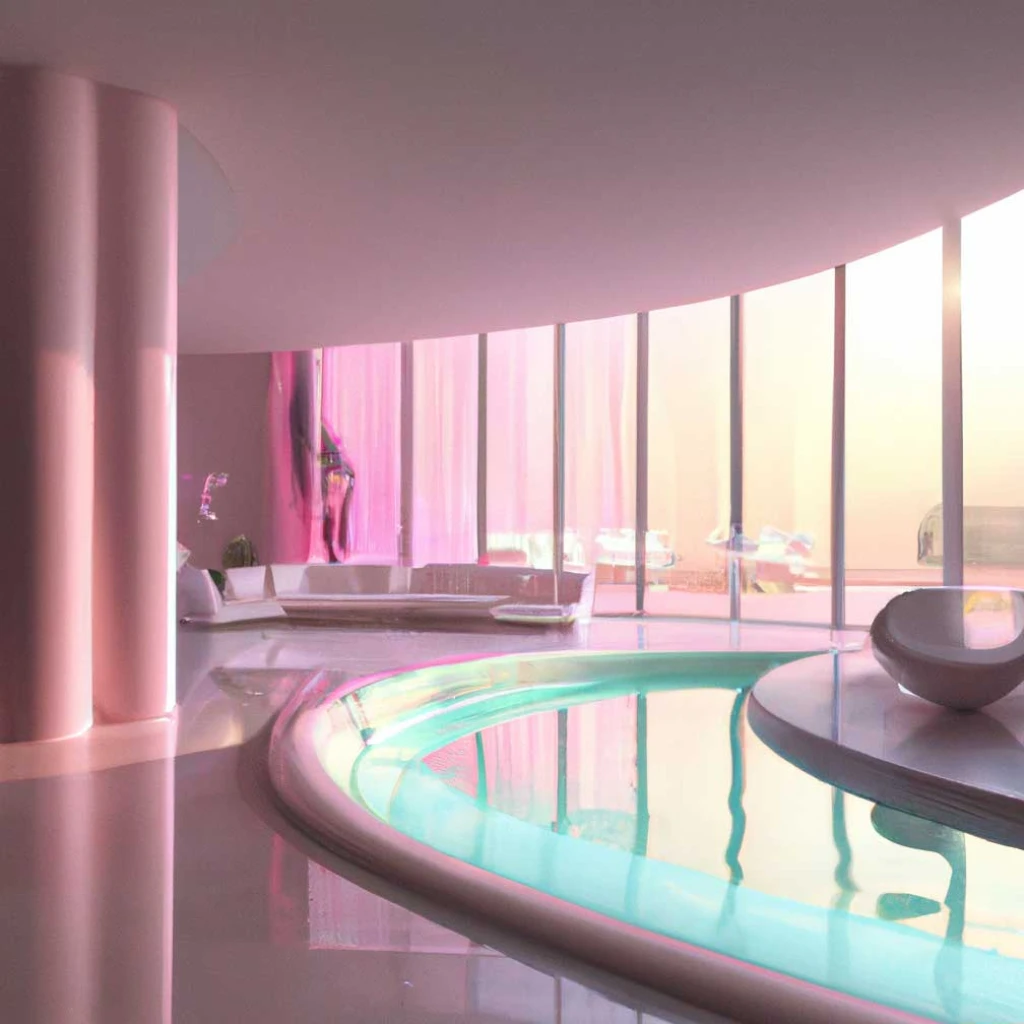 | 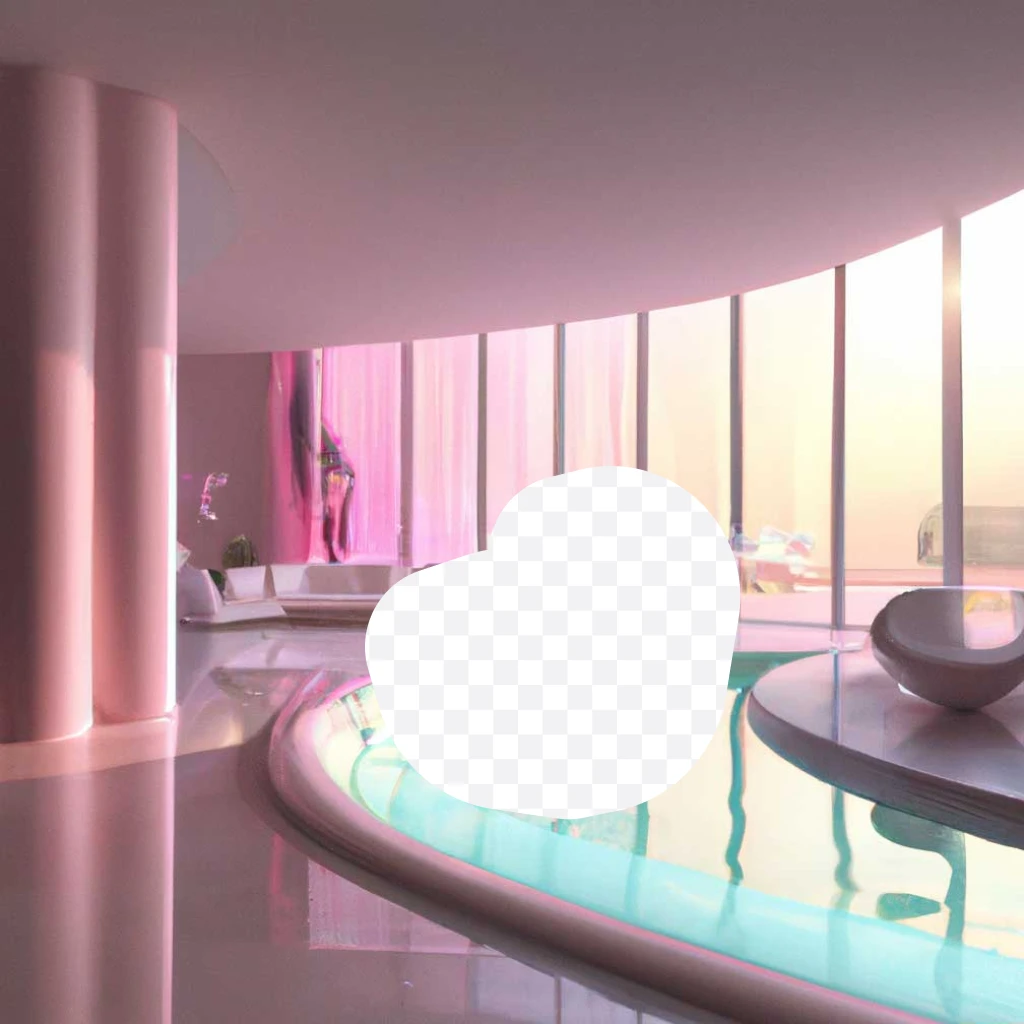 | 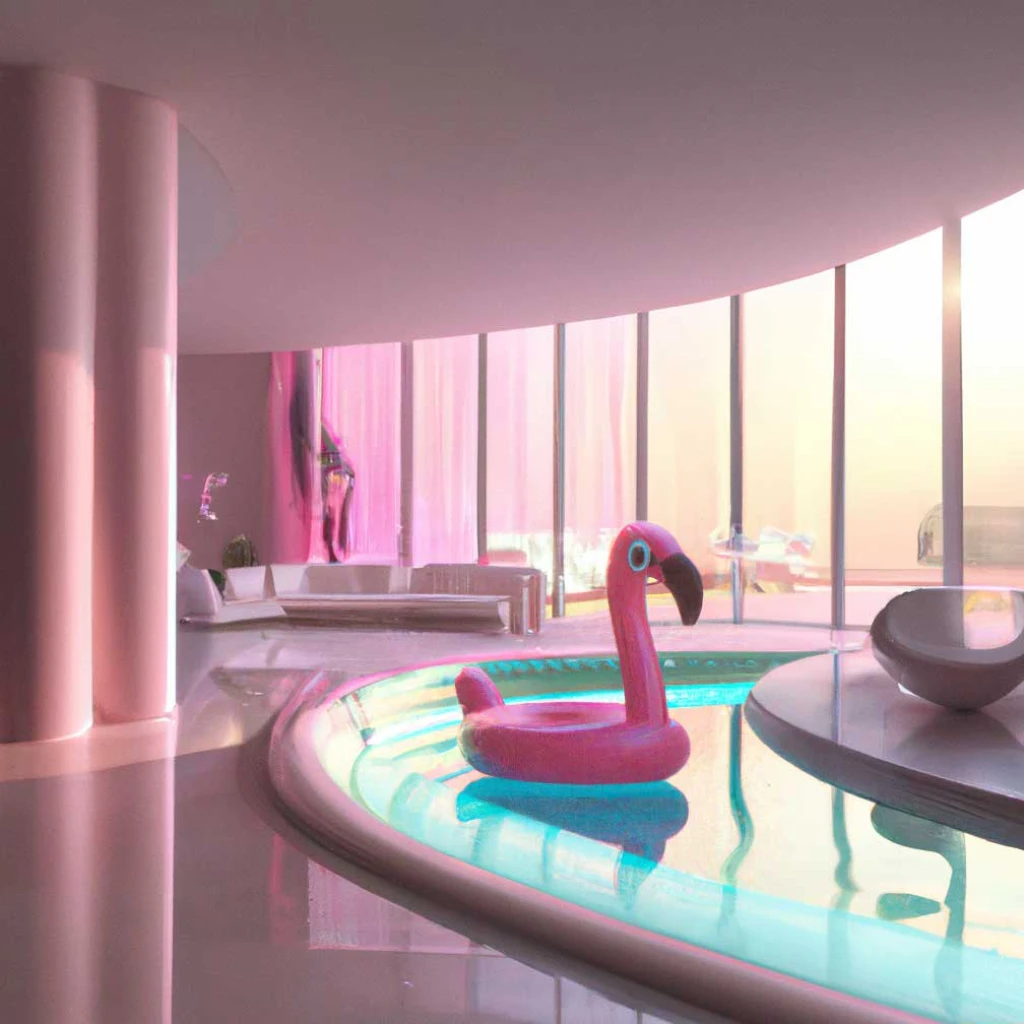 |
Prompt: a sunlit indoor lounge area with a pool containing a flamingo
The uploaded image and mask must both be square PNG images, less than 4MB in size, and have the same dimensions as each other. The non-transparent areas of the mask aren't used to generate the output, so they don’t need to match the original image like our example.
Variations (Dall-E 2 only)
The image variations endpoint allows you to generate a variation of a given image.
| Image | Output |
|---|---|
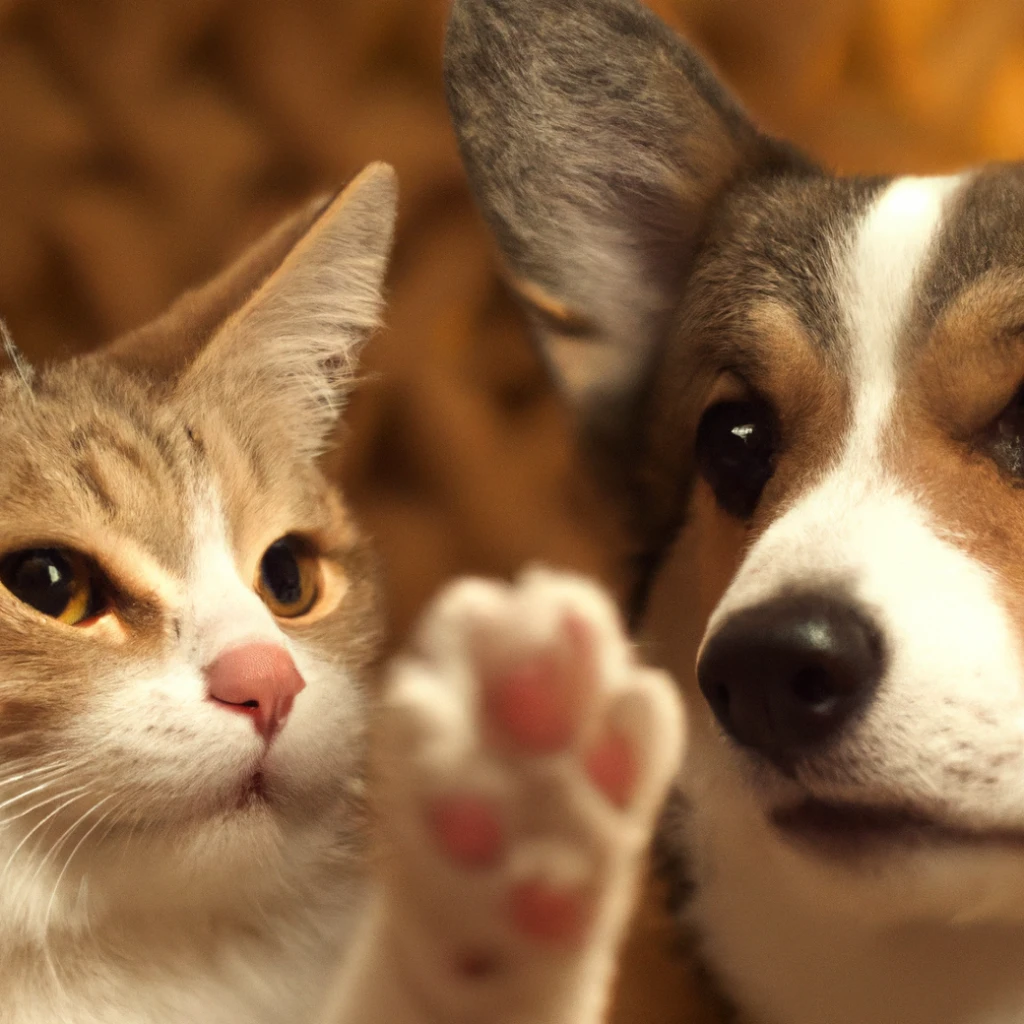 | 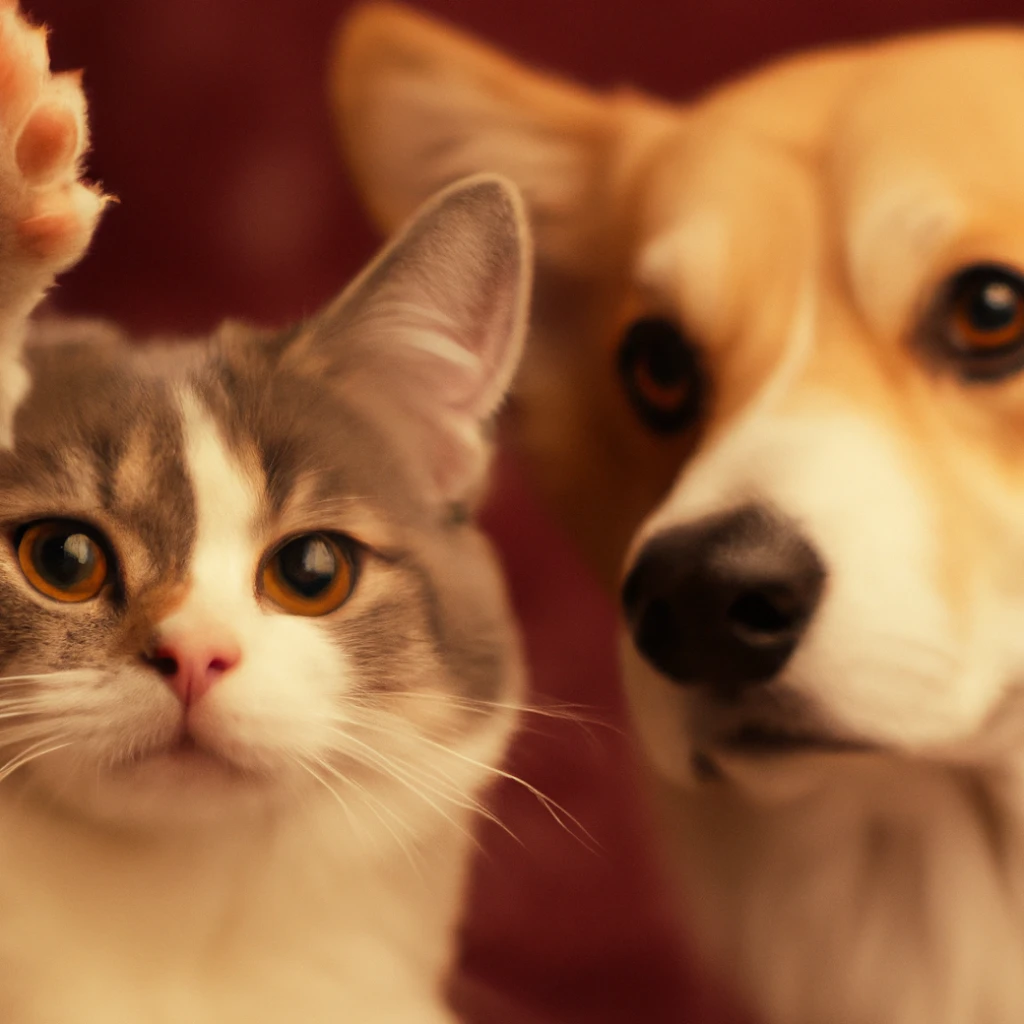 |
Similar to the edits endpoint, the input image must be a square PNG image less than 4MB in size.
Practice
Use Dall-E 2 to generate an image of a cat
Please use the following prompt: "a white siamese cat"
from openai import OpenAI
from IPython import display

client = OpenAI()

response = client.images.generate(
    model="dall-e-2",
    prompt="a white siamese cat",
    size="1024x1024",
    # quality="standard",
    n=1,
)

url = response.data[0].url
display.Image(url=url, width=512)
Use Dall-E 3 to generate an image of a cat
Please use the same prompt: "a white siamese cat"
from openai import OpenAI
from IPython import display

client = OpenAI()

response = client.images.generate(
    model="dall-e-3",
    prompt="a white siamese cat",
    size="1024x1024",
    quality="standard",
    n=1,
)

url = response.data[0].url
display.Image(url=url, width=512)
Compare the two images
Dall e 2 is more realistic.
Exercises
Exercise 1: Generate another image using Dall-E 2
Please generate another image using DALL·E 2.
Please use the following prompt: "a beautiful lake with a sunset"
# Your code here
response = client.images.generate(
    model="dall-e-2",
    prompt="a beautiful lake with a sunset",
    size="1024x1024",
    # quality="standard",
    n=1,
)

url = response.data[0].url
display.Image(url=url, width=512)
Click to show solution
from openai import OpenAI
from IPython import display

client = OpenAI()

response = client.images.generate(
    model="dall-e-2",
    prompt="a beautiful lake with a sunset",
    size="1024x1024",
    n=1,
)

url = response.data[0].url
display.Image(url=url, width=512)
Exercise 2: Generate another image using Dall-E 3
Please generate another image using DALL·E 3.
Please use the following prompt: "a beautiful lake with a sunset"
# Your code here
response = client.images.generate(
    model="dall-e-3",
    prompt="a beautiful lake with a sunset",
    size="1024x1024",
    # quality="standard",
    n=1,
)

url = response.data[0].url
display.Image(url=url, width=512)

Click here for Solution
from openai import OpenAI
from IPython import display

client = OpenAI()

response = client.images.generate(
    model="dall-e-3",
    prompt="a beautiful lake with a sunset",
    size="1024x1024",
    quality="standard",
    n=1,
)

url = response.data[0].url
display.Image(url=url, width=512)